
Instructions for using the WildFireWeb® Content Management System
also see Video Tutorial: Embedding Movies
Embed YouTubeâ„¢ Movies in your Page and Blog Posts using the Movie Tool
From YouTube, search for the video clip you want to embed in your page
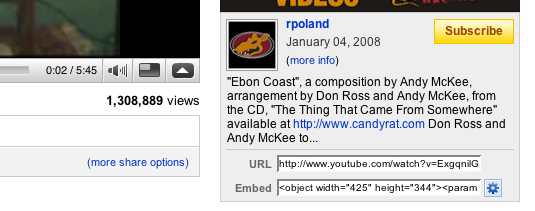
Below the video, look for a button that says "Share" then click on the "Embed" button.

Select and copy the code in the Embed field
Open the content area on the page where you want to place the video
Click the "Movie" tool in the Editor toolbar 
Paste the copied code into the box in the lower portion of the open Editor toolbar


