
Instructions for using the WildFireWeb® Content Management System
Web Mail
Instructions for logging into your WebMail account hosted on the WildFireWeb servers.
WildFireWeb uses industry standard POP 3 mail servers. You can check your mail using any POP 3 e mail client on your computer, or by using any standard web browser on any computer that has access to the internet. This means you can check and reply to mail while traveling, at internet cafes or any other computer connected to the internet.
To access your WebMail account
In your web browser, enter the url (address) of your domain followed by /webmail

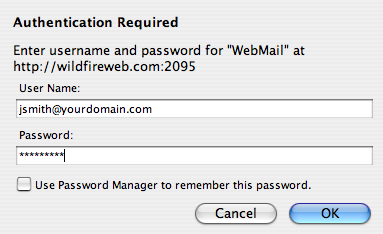
Enter your username (your full e mail address)
and your password and click "OK"
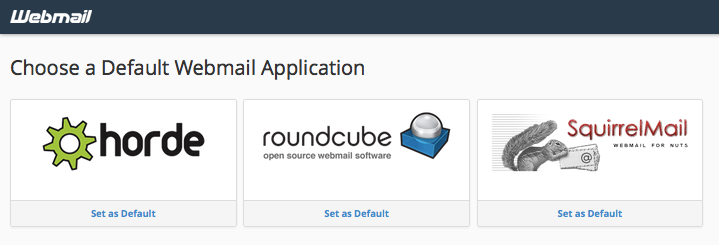
Select a WebMail Program. You can use any of the displayed applications, horde, roundcube or Squirrel Mail and can switch between them at any time. All three programs access the same stored mail accounts and records on the server.
Instructions for logging into your WebMail account hosted on the WildFireWeb servers.
WildFireWeb uses industry standard POP 3 mail servers. You can check your mail using any POP 3 e mail client on your computer, or by using any standard web browser on any computer that has access to the internet. This means you can check and reply to mail while traveling, at internet cafes or any other computer connected to the internet.
To access your WebMail account
In your web browser, enter the url (address) of your domain followed by /webmail
Enter your username (your full e mail address)
and your password and click "OK"
Select a WebMail Program. You can use any of the displayed applications, horde, roundcube or Squirrel Mail and can switch between them at any time. All three programs access the same stored mail accounts and records on the server.